Signs a business has outgrown Excel and Google Sheets, and the smallest fix for each
Signs Your Business Has Outgrown Excel (and the Smallest Fix)
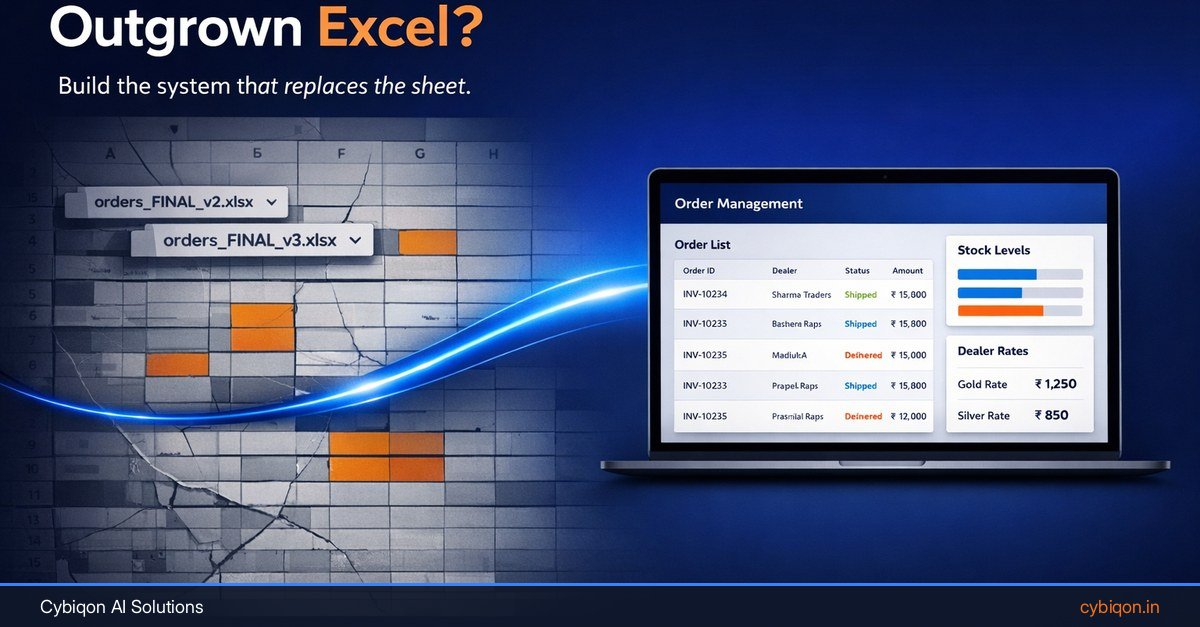
Your orders arrive on WhatsApp. An order clerk re-types them into a shared sheet. Invoices come out of Tally. Dealer rates live on a tab that "only Suresh edits". Nothing is on fire, which is exactly why the signs your business has outgrown Excel are so easy to miss.
The research is humbling. Raymond Panko's review of spreadsheet audits found errors in 84% of 163 real business spreadsheets across nine studies, and in 91% of 55 in the five strongest studies. His 2015 EuSpRIG paper adds the uncomfortable part: these errors are extremely difficult to detect, and people and organisations are highly overconfident about their sheets.
Meanwhile, on 10 Sep 2026 Google made 20-million-cell Google Sheets generally available, doubling the old limit. A bigger sheet fixes a problem most distributors, manufacturers and retailers never had.
This guide will not sell you an ERP. It walks through the real breaking points (orders typed twice, rates with no approval trail, stock quoted from a stale copy, month-end spent reconciling) and matches each to its smallest fix. Sometimes that fix is just a better-built sheet.
Why "our sheet works fine" is the riskiest sentence in operations
Most spreadsheets are not badly wrong. Per-cell error rates are low: Powell, Lawson and Baker found errors in 0.8–1.8% of formula cells across 50 operational spreadsheets. In a closer look at 25 spreadsheets from five organisations, they confirmed 117 errors. About 40% had no quantitative impact, 9 of the 25 files were error-free, and the largest error was worth around $100 million.
So the honest summary is: most business spreadsheets contain errors, most individual errors are harmless, and the one that isn't is very hard to find. That's why "it still works" tells you nothing.
Two well-known cases show how the damage actually happens:
- JPMorgan, 2012 ("London Whale"). The loss of at least $6.2 billion came from trading positions, not a typo. But JPMorgan's own task force report found the new risk model ran on Excel sheets fed by manual copy-paste, called the process "error prone" and "not easily scalable", and noted that one step divided by a sum instead of an average, muting volatility by roughly a factor of two (Baseline Scenario). The spreadsheet hid the risk.
- Public Health England, October 2020. A legacy .XLS file capped at 65,536 rows silently dropped data. 15,841 positive cases from 25 Sep to 2 Oct 2020 were left out of daily figures, and around 48,000 contacts were not traced promptly (The Register).
Neither story is about Excel being bad software. Both are about a process that outgrew how the sheet was used.
Google Sheets' 20 million cell limit won't fix what's breaking
Here's the news. Google announced on its Workspace Updates blog that the Google Sheets cell limit of 20 million is generally available from 10 Sep 2026, up from 10 million. Rapid Release domains get it from 10 Sep, Scheduled Release domains from 28 Sep 2026, and each rollout can take up to 15 days, so not every account has it yet. It covers Workspace, Workspace Individual and personal accounts. The April 2026 beta also promised up to 30% faster opening and up to 60% faster filtering for files above a million cells.
Excel's ceiling is already large. Since the 2007 .xlsx format, a worksheet holds 1,048,576 rows by 16,384 columns; the 65,536-row cap that hurt PHE belongs to the old .xls format.
A distributor with 300 retailers and 2,000 SKUs will take years to fill either. Size is rarely the problem. The problems are:
- Structure — orders, rates, stock and payments mixed in one file with merged cells and hand-typed totals
- Sharing — copies emailed, downloaded and saved to desktops
- Control — no approval step before a rate or a credit limit changes
- Re-keying — the same order typed into WhatsApp, the sheet and Tally
If you are asking when to move from Excel to software, ask which of these four is hurting, not how many rows you have.
An illustrative distributor: one shared sheet running the whole business
To make the signs concrete, here is a composite scenario. It is illustrative, not a client.
Say a Ludhiana auto-parts distributor gets retailer orders on WhatsApp. An order clerk re-types each one into a shared Google Sheet. Dealer rates sit on another tab that "only Suresh edits". Invoices are raised in Tally.
Salespeople download a copy of the sheet in the morning to check stock on their phones. By afternoon they are quoting the morning's stock, and two of them promise the same last 40 units to different retailers.
A dealer disputes a rate. The cell edit history shows Suresh changed it on the 3rd. It does not show why, or who approved it. If the change was made in someone's downloaded copy and pasted back, there is no trail at all.
At month-end, the accountant reconciles the sheet against Tally line by line, because some WhatsApp orders were typed into one and not the other.
None of this looks like a crisis. Each piece is a sign with a different fix. Most "outgrown spreadsheets" articles jump straight to an ERP; this distributor needs maybe two of the fixes below.
Signs your business has outgrown Excel: orders and stock
Orders are typed twice, sometimes three times
Why it happens: orders arrive as free-text WhatsApp messages, so a person has to turn them into rows, then into Tally invoices. Meta's May 2026 India post cites Kantar: 91% of online adults in India chat with a business every week. That is a consumer figure, but it explains why your retailers expect to order the same way.
Smallest fix: stop the re-typing at the source. If dealers are willing to tap through an app, a dealer ordering portal wins: they see their own rates and outstanding, and the order lands structured. If they will only ever send a WhatsApp message, an AI agent that reads WhatsApp orders turns each message into a draft order for a human to confirm.
This matters for GST too. Businesses with AATO of ₹10 crore or more must report invoices to the IRP within 30 days of the invoice date since 1 Apr 2025 (Tax2win); an invoice reported late can't get an IRN. A re-keying backlog becomes a compliance problem. (The 30-day rule doesn't yet apply to the ₹5–10 crore bracket, though e-invoicing does.)
Stock is quoted from a copy, not the sheet
Why it happens: it's the sharing, not Excel. Microsoft 365 co-authoring works for .xlsx, .xlsm and .xlsb files in OneDrive or SharePoint; if two people edit the same cell, the last saved change wins. Version sprawl comes from emailed attachments, local copies and the legacy Shared Workbook feature.
Smallest fix: a better sheet, with one live link and no downloads. If stock must drop the moment an order is confirmed, you need an admin panel.
Signs your business has outgrown Excel: rates, approvals and month-end
Nobody can say who approved a rate change
Spreadsheets do keep history, contrary to most vendor copy. Google Sheets has had per-cell edit history since June 2019: who, when and the previous value. Excel's Show Changes shows the same for the last 60 days, for files in OneDrive or SharePoint.
What's missing: cell history ignores formula-driven changes, inserted or deleted rows and formatting, and shows one change at a time. Nothing records why, or who approved it. And once a copy is downloaded, the history is gone. So the real problem is no approval trail, and history that vanishes the moment someone downloads a copy.
Smallest fix: protected ranges if two people touch rates. An admin panel with an approval step once dealers start disputing them.
Month-end means reconciling the sheet against Tally
A long close isn't a sign on its own. An APQC benchmark of about 2,300 organisations, mostly larger firms, put the median monthly close at 6.4 calendar days, with the bottom quartile at 10 or more (CFO.com). The sign is why it takes that long: re-keying and matching copies.
Smallest fix: keep Tally. Tally stays the ledger; the fix is getting confirmed orders into it without a second typist, and making sure your billing software and order records agree before month-end, not after.
The sheet has quietly become four systems
Follow-ups tab, expense claims tab, dealer rates, stock. When one file is doing the job of a CRM for sales follow-ups and expense management software as well as orders, and one person guards it, the business depends on that person's memory.
It is also a data question. Under the DPDP Rules notified on 13 Nov 2025, the main duties (notice, consent, security safeguards, breach notification, retention and erasure) apply from 13 May 2027. A sheet of dealer and customer phone numbers anyone can download will need safeguards by then. It isn't illegal today; it's a deadline worth planning for.
When a better sheet is enough (and how to build one)
If you have fewer than ten people touching the file, orders under a few dozen a day, and no dealer disputes, you probably don't need software yet. You need a better sheet. Here's how to build one:
- One tab per record type. Orders, Dealers, Rates, Products, Stock movements. No tab mixes two kinds of record, and no totals live in the middle of data.
- Convert ranges to Tables. In Excel use Format as Table; in Google Sheets use Tables. Columns get fixed types, and formulas stop breaking when rows are added.
- Dropdown validation everywhere a person picks from a list. Dealer names, SKUs and order status should come from the master tabs, not free text. "Sharma Traders" and "Sharma Trader's" are two dealers to a formula.
- Protected ranges on Rates. Lock the tab to named editors. Note Google's own help page: protection can be warning-only and is not a security control, since people can still copy or export the data.
- Stop downloaded copies. Share one link, turn off download/copy for viewers, and keep Excel files in OneDrive or SharePoint so co-authoring and Show Changes work.
- Put a form in front of it. A Google Form or an AppSheet app for order entry means staff add rows but never edit the grid directly.
Google Sheets allows up to 100 people to have a file open at once, so headcount isn't the limit either. This answers "is Google Sheets good enough for inventory management?" for many teams: yes, for simple stock counts with a disciplined sheet. It stops being enough when stock must move automatically with confirmed orders across locations.
When to move from Excel to software: which fix matches which sign
Use this as the decision table. Pick the row that hurts most and start there, not with everything.
| Sign | Smallest fix | Why this one |
|---|---|---|
| Copies and versions everywhere, small team | Better sheet | Sharing problem; one live file and no downloads solves it |
| Staff edit rates they shouldn't | Better sheet (protected ranges) | Enough while two or three people touch rates |
| Dealers dispute rates; you need who approved what | Admin panel | Every change a logged record with user, time and approval step |
| Stock doesn't update when orders are confirmed | Admin panel | Stock moves on confirmation, one source for sales staff |
| Clerk re-types orders; dealers will use an app | Dealer portal | Dealers order against their own rates and see outstanding |
| Orders only ever come as WhatsApp messages | WhatsApp order agent | Reads messages into draft orders for a human to confirm |
| Month-end is sheet-vs-Tally reconciliation | Admin panel connected to Tally | Confirmed orders flow to Tally once; Tally stays the ledger |
Do you need an ERP, or is a simpler system enough? For most distributors and retailers with the pattern above, a focused admin panel for business operations plus Tally covers it. An ERP replaces your accounting, your processes and often your team's habits at once. The smaller fix replaces only the sheet that keeps breaking.
The ladder is cumulative: better sheet first, a panel when approvals matter, a portal or agent when re-typing is the bottleneck.
FAQs
How do I know if my business has outgrown Excel?
Look at what goes wrong, not file size: orders typed twice, staff quoting from downloaded copies, unexplained rate changes, stock that doesn't move with confirmed orders, and month-end spent reconciling against Tally. One or two may only need a better sheet.
What is the max rows in Excel and Google Sheets?
Excel supports 1,048,576 rows and 16,384 columns per worksheet (.xlsx); legacy .xls stops at 65,536 rows. Google Sheets allows 20 million cells per file, rolling out from 10 Sep 2026 (previously 10 million).
Can multiple people edit the same Excel file at the same time without conflicts?
Yes, with Microsoft 365 co-authoring on .xlsx, .xlsm or .xlsb files stored in OneDrive or SharePoint Online. If two people change the same cell, the last saved change wins. Conflicts mostly come from emailed or downloaded copies.
How do I see who changed a cell in Google Sheets or Excel?
In Google Sheets, right-click a cell and choose "Show edit history" to see who changed it, when, and the previous value; File → Version history shows whole-file versions. In Excel, use Show Changes for files in OneDrive or SharePoint, which covers the last 60 days. Neither records why a change was made or who approved it.
Can WhatsApp orders be entered automatically into a sheet or Tally?
Yes. An AI agent connected to the WhatsApp Business Platform can read order messages, match dealers and products, and create draft orders for a person to confirm. Confirmed orders can then be pushed into a sheet, an admin panel and Tally.
What Cybiqon would build for your version of this
If the decision table pointed past a better sheet, Cybiqon would build the smallest piece that removes the breaking point: an admin panel where every order and rate change is a logged record with an approval step, stock moves when an order is confirmed, and confirmed orders go on to Tally. Add a dealer portal or a WhatsApp order agent only if re-typing is your bottleneck.
It's written around how your business already works, not configured from a template. The founders build it, and you own every line of the code.
Book a 30-minute call or reach us at +91 9250711473. Or send the sheet that breaks most often to [email protected], and we'll tell you the smallest system that replaces it. Sometimes that's just a better sheet.
Conclusion
The signs your business has outgrown Excel have little to do with row counts, and Google's new 20-million-cell limit won't change that. They show up as orders typed twice, rates with no approval trail, stock quoted from stale copies and a month-end spent reconciling against Tally. Match each sign to its smallest fix: a disciplined sheet first, then an admin panel, a dealer portal or a WhatsApp order agent only where the sheet keeps breaking. If you're not sure which one you need, send Cybiqon the sheet and ask.
Want this set up for your business?
Book a free call — no tech jargon, no sales pressure. Just honest answers.