Connecting IndiaMART leads to a CRM and WhatsApp with the Push API
IndiaMART CRM Integration: Stop Copying Leads Into Excel
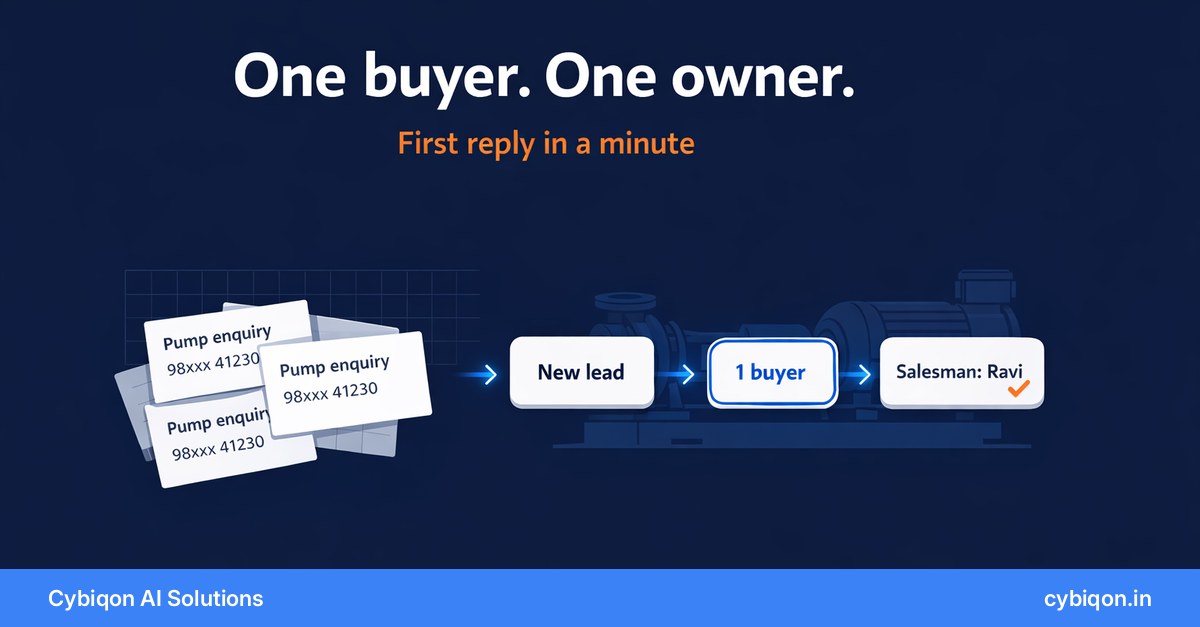
The average paying IndiaMART seller now spends about ₹69,000 a year on the platform, according to IndiaMART's Q1 FY27 results for the quarter ended 30 June 2026. Yet IndiaMART's own help centre says "there is no provision for exporting/downloading enquiries data in a spreadsheet/MS Excel". So without an IndiaMART CRM integration, one person copies leads from the Lead Manager app into a sheet and forwards them to salesmen on WhatsApp.
That works at five leads a day. At sixty it breaks. The same buyer shows up three times, two salesmen call him, and a BuyLead posted at 10 am gets its first reply at 4 pm, after other suppliers have quoted. A proper integration fixes this. Not every "integration" on sale does.
Below: how IndiaMART's Push and Pull APIs really work (with the limits setup guides skip), why duplicate leads are built in, how Sheets services, the free Zoho plugin, IM Insta and Chrome extensions compare, what a first WhatsApp message costs and when it's allowed, and when you need no integration at all.
Why IndiaMART leads outgrow Lead Manager and Excel
Here's an illustration, not a client. Say a pump and motor manufacturer in Rajkot is on an IndiaMART Gold plan and gets around 60 contacts a day: direct enquiries, PNS calls, catalogue views and consumed BuyLeads. A coordinator copies each into Excel and forwards it on WhatsApp to one of four salesmen, split by state.
Three things go wrong, and IndiaMART's own documentation explains each:
- One buyer arrives as several leads. IndiaMART's Pull API docs say a buyer who sends two enquiries and makes a call gives you "3 records ... with different UNIQUE_QUERY_ID". In a sheet, that's three rows and two salesmen calling one contractor.
- BuyLeads are a race. A BuyLead expires once the 6th supplier consumes it, or on the third day after posting. Unmet requirements are re-sent to more sellers.
- Nobody knows who replied. The sheet shows a lead arrived, not whether anyone called, quoted or followed up.
The pressure is growing. IndiaMART reported 2,18,000 paying suppliers in Q1 FY27, while unique business enquiries fell 11% year on year to 26 million (Investing.com, MediaNama), so each enquiry matters more. IndiaMART is also speeding up its own side: MediaNama reports about 146 million AI "smart replies and callbacks" in the quarter, and in June it launched VANI, an AI voice agent built with SquadStack.ai that handles over 1 lakh buyer-seller calls a day.
The research on reply speed is American and old, but it has held up. The 2007 MIT/InsideSales Lead Response Management Study found a lead was 21 times more likely to qualify if called within 5 minutes rather than 30. A 2011 Harvard Business Review study of 2,241 US companies found only 37% replied within an hour; the average took 42 hours. There's no India equivalent, and IndiaMART's own advice is to respond "as soon as possible".
When the IndiaMART Lead Manager alone is enough
Check what you already have before buying anything. Lead Manager (confirm what your plan includes) offers instant and saved replies, quotations, notes, email syncing, AI smart replies, search by name, city, company or mobile, and reminders with Past, Today and Upcoming views. It also has seven labels: Important, Contacted, Follow-up, Deal-done, Irrelevant, Negotiation and Quotation sent. Setting a reminder adds the Follow-up label automatically.
If one person handles fewer than about 15–20 leads a day and there's no team to route them to, that's enough. Put a label and a reminder on every lead, and spend the money elsewhere. If you already use Zoho CRM, install IndiaMART's official Zoho extension, which is free, and stop there.
You need more when it becomes a team problem: several salesmen, duplicate buyers, routing rules and missed follow-ups. That's when an IndiaMART CRM integration pays for itself.
IndiaMART Push API vs Pull API: how IndiaMART CRM integration works
Every IndiaMART API integration worth using runs on one of two official feeds.
| IndiaMART Pull API | IndiaMART Push API | |
|---|---|---|
| How it works | Your system asks IndiaMART for new leads | IndiaMART sends each lead to your HTTPS address as it arrives |
| Speed | Minutes behind by design | Real time |
| Limits | At least 5 minutes between calls; more than 5 calls in a minute blocks the key for 15 minutes (error 429); one call covers at most 7 days; history goes back 365 days; a call with no parameters returns the last 24 hours | Endpoint must be HTTPS and reply with HTTP 200; failed pushes are retried "at regular intervals" |
| The catch | Lag | Switched off if your endpoint doesn't accept leads for more than 48 hours in a row |
| Access | Uses the IndiaMART CRM key (Pull API key) | Paid sellers, in "DIY (Do it Yourself) mode", so IndiaMART's technical team won't help you set it up |
IndiaMART is not phasing out the Pull API. The "being phased out" warning sits on the help page for its old Pull-based Zoho plugin, which fetched leads every two hours. IndiaMART is retiring that plugin and steering sellers to real-time Push. The Pull API still runs; IndiaMART only notes it "can sometimes result in delays", and the new Zoho plugin still uses Pull for older leads.
The 48-hour rule catches people out. A webhook that dies over a Diwali long weekend can switch your lead feed off without warning, so any Push setup must monitor itself: count leads received each day and alert someone when it hits zero. Meanwhile most "IndiaMART leads to Google Sheet" scripts poll Pull, so they're minutes behind even when working.
What an IndiaMART Push API lead contains, and why you merge rather than delete
Each lead arrives as a set of named fields. These are the ones an IndiaMART lead management system should use:
| Field | What it tells you | What to do with it |
|---|---|---|
| UNIQUE_QUERY_ID | One ID per record | Skip any record whose ID is already stored, so retried pushes and overlapping pulls don't create doubles |
| QUERY_TYPE | Contact type: W, B, P, BIZ or WA. "B" is a consumed BuyLead | Mark BuyLeads urgent and make first contact through IndiaMART or by phone |
| SENDER_MOBILE | Buyer's mobile number | Main key for merging one buyer's records |
| SENDER_EMAIL | Buyer's email | Second merge key, as IndiaMART suggests |
| QUERY_MCAT_NAME | IndiaMART product category | Route to the salesman who sells that product |
| SENDER_STATE | Buyer's state | Route by territory |
IndiaMART's documentation recommends "merging logic with the combination of SENDER_MOBILE+SENDER_EMAIL". Note the word merging. Each record is a real contact (an enquiry, a PNS call or a catalogue view), so deleting "duplicates" throws away history. Keep every record under one buyer, and the salesman sees "called twice, asked about 5 HP monoblock pumps" in one place.
IndiaMART CRM integration options compared
The options, compared fairly:
| Option | Cost | Good for | Weak spot |
|---|---|---|---|
| Lead Manager alone | Part of your IndiaMART plan (check yours) | One person, under ~15–20 leads a day | No routing or merging across a team |
| IndiaMART's official Zoho CRM extension | Free on Zoho Marketplace (300+ installs) | Sellers already on Zoho CRM | Only helps if you use Zoho |
| IM Insta (IndiaMART) | Price on request | WhatsApp replies from your PNS number inside Lead Manager | Get a quote and ask how it handles routing across your team |
| Pabbly Connect + Push webhook | Pabbly plan | Automatic WhatsApp acknowledgement, no code | You maintain the flows |
| "IndiaMART to Google Sheets" services | ~₹1,000–2,500 a month | A live sheet instead of copying by hand | Merging, routing and follow-up are still manual |
| Chrome export extensions | Varies | A one-off CSV export | Fragile, and a terms-of-use risk |
| Your own Push webhook | One-time build | Teams with routing, duplicate and follow-up problems | Has to be built and monitored |
IM Insta is IndiaMART's premium WhatsApp Business API add-on: it sends from your PNS number, with pre-written templates, a single inbox and "Smart Auto-Replies", one template per buyer per day for 7 days or until they reply. The Sheets prices are real IndiaMART listings: ₹2,500 a month (Mangalore) and about ₹1,000 a month (Mumbai).
Chrome extensions like "IndiaMART Lead Manager – Export Buyer & Inquiry Leads" (about 1,000 users, and by its own description not endorsed by IndiaMART) read your logged-in Lead Manager page and export a CSV. IndiaMART's Terms of Use prohibit "systematic retrieval of IIL Content to create or compile ... a database" without written permission. That isn't illegal, but it's a risk to your account. These extensions also break when the layout changes, only capture what's on screen, and give a third party your logged-in session. The Push API does the same job, with permission.
Decision guide: how to manage IndiaMART leads by volume and team size
Rules of thumb, not IndiaMART figures:
| Your situation | What to use |
|---|---|
| One person, under ~15–20 leads a day | Lead Manager labels and reminders |
| Already on Zoho CRM, any volume | IndiaMART's free Zoho extension |
| 1–2 people who mainly want instant WhatsApp replies | An IM Insta quote, or Pabbly with the Push API |
| 20–100 leads a day, 3+ salesmen split by product or state | A Push webhook that merges, routes and chases follow-ups |
| You want one history across the team and to own the data | A custom build on the Push API |
Weighing a move away from IndiaMART? We've covered building B2B leads without IndiaMART. This post is for sellers who stay and want more from leads they already pay for.
IndiaMART WhatsApp integration: the first message, the cost and the rules
The WhatsApp auto-reply to IndiaMART leads is where setups go wrong. New to templates and the 24-hour window? Start with how the WhatsApp Business API works.
The first message has to be a template. A buyer who has never messaged you can only receive an approved template. Provider rate cards (whautomate and MyOperator, which agree) list India at ₹0.115 per utility message and ₹0.8631 per marketing message, plus 18% GST. At 60 leads a day that's roughly ₹210 a month for a neutral acknowledgement, or roughly ₹1,550 if it carries a pitch and counts as marketing, before GST and provider mark-up.
Keep it plain, for example: "Thanks for your enquiry about submersible pumps. Our Gujarat team will call you before 12 pm." Since 16 April 2025, Meta has recategorised utility templates that mix in promotion as marketing, without notice.
Three dated changes to note:
- From 1 October 2026, Meta's developer docs say service messages ("which have not been charged since November 2024") and utility replies inside an open 24-hour window become chargeable.
- 360dialog reports 1,000 free service messages a month per number; Meta's own page didn't show this as of 25 August.
- Businesses billed in India must move to INR billing by 31 December 2026, or delivery stops from 1 January 2027.
Opt-in matters. Meta requires that the person agreed to hear from your named business, in line with local law. A direct-enquiry buyer contacted you, so a short, non-promotional acknowledgement is defensible. A BuyLead buyer posted a requirement to IndiaMART, not to you, which is a grey area. For BuyLeads, make first contact through IndiaMART or by phone. IndiaMART's terms also prohibit using its services for "spamming".
What a working IndiaMART lead management system looks like
Back to the Rajkot example, with a Push-based setup:
- Receive. The Push API sends every lead to a small HTTPS webhook that the business owns. The webhook replies with HTTP 200 straight away.
- De-duplicate. Any UNIQUE_QUERY_ID already stored is skipped.
- Merge. Records are grouped into one buyer by SENDER_MOBILE, with SENDER_EMAIL as a second check.
- Route. QUERY_MCAT_NAME or SENDER_STATE picks the salesman, who gets the lead on WhatsApp with the buyer's full history.
- Acknowledge. Direct enquiries get a utility template within a minute. BuyLeads are flagged for a phone call.
- Chase. Reminders repeat until the salesman marks the lead won or lost, so IndiaMART BuyLead follow-up no longer depends on someone's list. More on chasing follow-ups automatically.
- Watch the feed. A daily lead count alerts the owner if the feed goes quiet, well before IndiaMART's 48-hour cut-off.
The data can feed a CRM you rent or a small system you own; we compared renting a CRM versus owning one. It's the same idea as our WhatsApp automation guide: the system does the repetitive work, and people step in where judgement matters.
FAQs
Is IndiaMART phasing out the Pull API?
No. IndiaMART is retiring its old Pull-based Zoho plugin and steering sellers to real-time Push. The Pull API still runs, within its polling limits.
Why is my IndiaMART API key blocked (error 429)?
It was called too often. Pull needs 5 minutes between calls; more than 5 calls in a minute blocks the key for 15 minutes.
Can I export IndiaMART leads to Excel or Google Sheets?
Not from Lead Manager, which IndiaMART says has no Excel export. The Pull or Push API is the official route into a sheet or CRM.
How many sellers get the same IndiaMART BuyLead?
Up to six. It expires when the 6th supplier consumes it or on day three, and unmet requirements are re-sent to more sellers.
Is it legal to scrape IndiaMART leads with a Chrome extension?
It isn't illegal as such, but IndiaMART's Terms of Use prohibit systematic retrieval without written permission, which puts your account at risk. The Push API is the permitted route.
What Cybiqon would build for your IndiaMART leads
Past the Lead Manager stage, Cybiqon would build your IndiaMART CRM integration as a Push API webhook: every lead recorded once, each buyer's enquiries, calls and BuyLeads merged into one history, routed to the right salesman by product or state, and direct enquiries acknowledged on WhatsApp within the rules. Follow-ups repeat until each lead closes, and a daily count flags a quiet feed.
It's written for your product categories, territories and team rather than configured from a template, and you own the code and the data. Our WhatsApp automation work starts from ₹19,999 one-time; a build like this is scoped on the first call, and if Lead Manager or the free Zoho plugin is enough, we'll say so. Book a 30-minute call, call +91 9250711473 or email [email protected].
Conclusion
You pay IndiaMART for leads, and your competitors are getting the same buyers. A BuyLead goes to up to six suppliers and expires on day three, one buyer can arrive as three records, and the Push feed stops if your system is down for 48 hours. A good IndiaMART CRM integration receives every lead in real time, merges it into one buyer, routes it, acknowledges it within the rules and chases it until it closes. If one person handles fewer than 20 leads a day, Lead Manager is enough. If you have a sales team, talk to Cybiqon about a system you own.
Want this set up for your business?
Book a free call — no tech jargon, no sales pressure. Just honest answers.