preventing overselling across Amazon, Flipkart and Meesho with multi-channel inventory sync
How to Avoid Overselling on Amazon and Flipkart in 2026
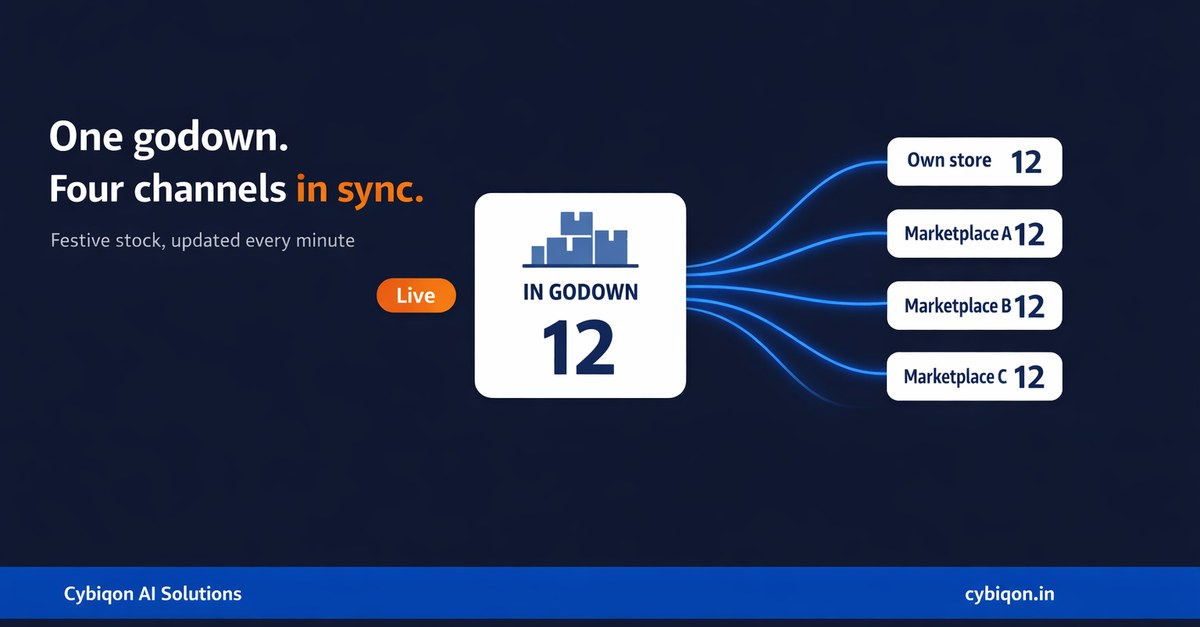
How to Avoid Overselling on Amazon and Flipkart in 2026
If you ship the same SKUs from one godown to your own website, Amazon, Flipkart and Meesho, and your stock lives in one Excel sheet that a single person updates at night, then how to avoid overselling on Amazon and Flipkart stopped being an operations nicety in August 2026. It became a line item. Amazon India now charges a flat slab on order value every time you cancel for a reason that isn't a buyer request, and Flipkart fines you ₹30, ₹60 or ₹90 per shipment depending on how the failure plays out.
The timing is brutal. Redseer's festive 2025 tracker clocked the first 11-day leg at ₹60,000–62,000 crore GMV — nearly 3.5 times business-as-usual levels. Your sheet updates once every 24 hours; during a sale, 24 hours of orders is close to four normal days.
Below: the rupee number, the mechanic behind it, the free fixes in the order you should try them, and an honest threshold under which you should not pay anyone — including us — to build you an inventory system.
What one oversell actually costs you in rupees
Until mid-2026 an oversell cost you an apology. Now it carries a price tag on both marketplaces.
Amazon India, effective 17 August 2026 — seller cancellation fees are a flat slab on order value, plus 18% GST:
| Order value | Fee | Plus GST |
|---|---|---|
| Below ₹10,000 | 10% | 11.8% effective |
| ₹10,001 – ₹50,000 | 8% | 9.44% effective |
| ₹50,001 – ₹1,00,000 | 5% | 5.9% effective |
| Above ₹1,00,000 | 2% | 2.36% effective |
A ₹500 order you cannot ship costs ₹59. A ₹30,000 order costs ₹2,832. Amazon's wording is that the fee applies "when you cancel an order for any reason other than buyer request" — and it also triggers when an order auto-cancels because you didn't ship and confirm within 24 hours of the estimated ship date. Running out of stock is not a buyer request.
Flipkart, effective 23 August 2026 — penalties are per shipment: ₹30 if it isn't ready for pickup by the committed Dispatch By Date, ₹60 if you cancel after receiving the order or it auto-cancels after three missed dispatch deadlines, and ₹90 if the order is both delayed and then cancelled. That last slab is operationally what an oversell looks like: you hold the order hoping stock turns up, miss the dispatch date, then cancel. Sellers in their first three months are exempt.
The complete fee tables for both marketplaces — including charges that have nothing to do with inventory — are in our guide to the 2026 Amazon and Flipkart seller penalty charges. Here, treat the numbers above purely as the cost mechanic.
Why is my stock showing available on Amazon when I've already sold it on Flipkart?
Because nothing told Amazon. Marketplaces do not talk to each other. Each holds its own count of what you said you had, and that count changes only when you change it or when that marketplace sells a unit.
Picture 40 units of one SKU in a Noida godown, listed on all four channels. Most sellers list all 40 everywhere, because listing 10 each feels like leaving money on the table. On a normal Tuesday that survives — at 4 orders a day, the odds of two channels selling the same last unit before your 11 PM update are low. At 3.5x BAU they aren't: 14 orders a day, the last 6 units gone in an hour, and Flipkart, Meesho and your own Shopify store all still showing green. By the time the sheet is updated that night you have committed to units that do not exist — and each commitment now carries a fee.
Three things make the gap worse than it looks:
- The sheet is one person. If they're at a wedding or asleep during a midnight deal drop, the lag isn't 24 hours, it's 36.
- Returns drift the count the other way. Unicommerce's India D2C Report 2026, covering 410 million shipments across 6,000+ brands, found festive COD orders return at 58% versus under 15% for prepaid, with RTO ranging 21–39% across brands. An RTO'd unit re-enters stock days later, silently — so everything you do to bring your RTO rate down also removes a source of inventory drift.
- The fastest-growing categories are the worst-affected. Redseer's 2026 festive forecast has grocery growing 48–50%, beauty 35–40% and home & furniture 32–35%, while mobiles grow only 5–7%. Those categories are high-SKU-count, small-ticket and multi-channel — exactly where one sheet breaks first.
What happens if a seller cancels an order on Flipkart?
Three things, in increasing order of pain.
One, the fine. ₹60 for a seller cancellation after the order is received, ₹90 if it was delayed first.
Two, the listing. Flipkart has historically flipped the listing to Out of Stock for seven days on a seller cancellation; since the August 2026 restructure the fine is explicit, and sellers report the listing consequence still applies — confirm against your current Seller Hub policy message. Seven days invisible during Big Billion Days is not a ₹60 problem.
Three, the rate. Flipkart tracks your cancellation rate and the ceiling is a fraction of one percent — published figures range from 0.25% to 0.5%, and it varies by seller tier, so check your own Seller Hub for your account-specific target. At 0.5% on 400 festive orders, your second cancellation has already put you over.
There is a carrot too: compliant sellers get faster settlement cycles and ad credits. The gap between a clean seller and a messy one now shows up in cash flow, not just ratings.
The compounding cost: account health, the Buy Box, and 20 lakh sellers
The fee is the cheap part. On Amazon the expensive part is account health, which holds you to a Pre-fulfilment Cancellation Rate under 2.5%, an Order Defect Rate under 1% and a Late Dispatch Rate under 4%. Breach them and Amazon suppresses listings, takes away the Featured Offer — the Buy Box — or deactivates the account. An oversell hits two at once: it is a pre-fulfilment cancellation, and if you sat on the order first, a late dispatch too.
Now the context. Amazon India said in September 2026 it has crossed 20 lakh sellers, having added 3 lakh in roughly twelve months — its strongest growth in three years. When your listing is suppressed on day two of a sale, demand does not wait. It moves to one of the other 19,99,999 sellers, who then banks the reviews and velocity that decide who holds the Buy Box afterwards. That is the real cost of an oversell, and it appears on no invoice: the position you do not get back.
Fix it for free first — in this order
Most sellers do not need software. They need these five things done properly, and they cost nothing but discipline.
1. Hold buffer stock, sized by replenishment time. Base.com's guidance is a good starting point: 10–12% for A-class items you can replenish in 48 hours, 15–20% when replenishment takes 3–7 days, 25–30% for imported stock. Base also notes promoted items stock out at roughly twice the rate of non-promoted ones — so buffer anything in a sale banner or ad campaign harder.
2. Split the count instead of mirroring it. Do not list 40 on all four channels. Allocate — say 18 to Amazon, 12 to Flipkart, 6 to Meesho, 4 to your own site — based on last festive season's actual channel split. Stocking out on one channel while another has units is a far cheaper mistake than a cancellation.
3. Ring-fence your top 20 SKUs. Whichever SKUs did 80% of last year's volume, restrict them to one or two channels for the duration of the sale. Fewer channels, fewer collisions.
4. Move the update to a cut-off, not a bedtime. Twice a day at fixed hours — say 1 PM and 8 PM — beats "whenever I get to it".
5. Use what Amazon already gives you. Samriddhi's recommendation engine is free, and sellers acting on its inventory recommendations saw 35% fewer stockouts and were 2.8x more likely to beat their sales baseline during sale events; 69,000+ sellers used its Sale Event Planner this year. What it cannot do is see the units you just sold on Flipkart and Meesho — it is a single-channel view. Pair it with the demand-forecasting side of inventory planning so you buy stock against a forecast rather than a hunch.
Do these five and for most sellers under roughly 1,000 orders a month the oversell problem largely goes away. At Cybiqon we would rather you spend nothing than spend with us for no reason.
Can I sync inventory between Amazon, Flipkart and Meesho for free?
Not properly, no. The honest answer has three parts.
Free-ish: Both Amazon and Flipkart accept bulk inventory uploads by file, so you can update every channel from one master sheet — four manual jobs become one export plus three uploads. Still manual, still only as fresh as the last time someone did it, but cheap enough that a twice-daily cadence becomes realistic. Start here.
Cheap: If you sell on your own Shopify or WooCommerce store, marketplace-connector apps sync that store's stock to Amazon and Flipkart for a low monthly fee. Read the fine print on how often they poll, and whether Meesho is supported at all.
Not free: Near-real-time multi-channel sync — where a Flipkart sale decrements the Amazon count within minutes — needs something holding the master count and pushing to every channel by API. Base suggests targeting sync latency under 5 minutes. Nothing hits that free, because someone pays for the servers making those calls all day. And if you also supply quick commerce, availability rather than count is what gets scored, which is why true fill rate is the metric that matters there.
Should I build my own inventory system or use Unicommerce / EasyEcom?
Here is the part no ranking page will tell you: most sellers should buy, not build. Published rates:
| Option | Published price | Best for |
|---|---|---|
| Manual sheet + bulk upload | ₹0 | Under ~300 orders/month, 2 channels |
| Browntape DIY | ₹2/order (₹1/order remittance tracking), recharge packs from ₹5,000 | Straightforward multi-channel sync |
| EasyEcom | From $0.49/order, no monthly fee | Volume sellers wanting no fixed cost |
| Ginesys OMS (standalone) | ₹3.5 per order line item | Retail chains with an existing ERP |
| Unicommerce | No public per-order rate — routes to sales | Larger operations with custom needs |
| Custom build | One-time, then hosting | 4+ channels, unusual logic, or the tool won't bend |
At around 1,000 orders a month a ready tool runs roughly ₹2,000–₹3,500 — less than one avoided ₹30,000 cancellation.
Our threshold, plainly: if you do under ~1,000 orders a month, sell on fewer than four channels, and have no unusual logic — no kitting or bundles that draw from shared components, no multi-godown allocation, no B2B and D2C sharing one stock pool — do not commission a custom build. Buy the tool. Hire Cybiqon for something else, or for nothing.
A custom build earns its keep only when an off-the-shelf tool cannot express your actual rules — a "set" of 3 items decrementing 3 SKUs, two godowns serving different pincodes from one listing, distributor and marketplace orders fighting over the same pallet.
If you do build it: the constraints you will hit
Two published limits shape the whole architecture, and neither is obvious until you are three weeks in.
Flipkart caps inventory update batches at 10. The POST /listings/v3/update/inventory endpoint in Flipkart's Developer API v3.0 states plainly: "Max batch size allowed is 10." An 800-SKU catalogue is 80 API calls for one full refresh — which is why a sync agent must push deltas, only what changed, rather than replaying the whole sheet. Get this wrong and you are rate-limited exactly when you need the sync most.
Amazon's Feeds API queues. Amazon's SP-API best-practice docs warn that under high load it is "not uncommon for feeds to take up to eight hours to process", as feeds queue sequentially, with JSON feeds rate-limited to roughly one per five minutes. Eight hours during a sale is the same as no sync. The way around it is the Listings Items API, which has a priority lane bypassing the congested feed queue — a real build decision, and worth asking any vendor about before you sign.
A third, practical one: decide up front what happens when two channels sell the last unit in the same second. Someone has to lose — whether by a hard reservation, an optimistic lock or a buffer that absorbs the collision, it should be a decision rather than an accident.
Getting through festive 2026 without a cancellation
Flipkart has confirmed Big Billion Days early access opens 8 October 2026 for Plus and Black members (Flipkart Stories, 16 September 2026); the main sale is widely reported to start 9 October. Amazon has not yet announced Great Indian Festival 2026 dates — as of publication its own event page still says "coming soon" — but on past patterns it opens within days of Flipkart's Big Billion Days, with 24-hour Prime early access. Redseer forecasts $15–16bn GMV for the season, up about 25% year on year, with 180–185 million shoppers against roughly 160 million in 2025. More shoppers, more channels, same godown. Your checklist:
- Allocate stock by last festive season's actual channel split, not evenly, and double buffers on anything you're promoting
- Fix two daily update cut-offs and name who owns each
- Note your current cancellation rate on both platforms, so you know your headroom
- Pull long-replenishment SKUs off your weakest channel entirely
- Check settlement reports against orders weekly — overselling and marketplace reconciliation gaps tend to surface in the same messy month
FAQs
What happens if a seller cancels an order on Flipkart?
Since 23 August 2026 you pay ₹60 per shipment for a seller cancellation after receiving the order, or ₹90 if it was delayed and then cancelled. It also counts against your seller cancellation rate, where the ceiling is a fraction of one percent — published figures range from 0.25% to 0.5%, and it varies by seller tier, so check your own Seller Hub for your account-specific target. Sellers in their first three months are exempt from the fines.
How much is the Amazon seller cancellation fee in India in 2026?
From 17 August 2026 it is a flat slab on order value plus 18% GST: 10% below ₹10,000, 8% for ₹10,001–₹50,000, 5% for ₹50,001–₹1,00,000, 2% above ₹1,00,000. A ₹500 order costs ₹59; a ₹30,000 order costs ₹2,832. It applies whenever you cancel for a reason other than a buyer request, and when an order auto-cancels because you didn't ship and confirm within 24 hours of the estimated ship date.
What is buffer stock and how much should I hold back on each marketplace?
Buffer stock is the quantity you deliberately do not list, so a sync delay cannot sell units you no longer have. Base.com's guidance: 10–12% for A-class items with 48-hour replenishment, 15–20% when replenishment takes 3–7 days, 25–30% for imported stock — and more on promoted SKUs, which Base notes stock out at roughly twice the rate of non-promoted ones.
Is inventory management software worth it for a small seller?
At around 1,000 orders a month, published rates put a ready tool at roughly ₹2,000–₹3,500 — less than a single avoided ₹30,000 cancellation on Amazon. Below a few hundred orders a month on two channels, disciplined buffers and twice-daily updates usually do the job, and the software is not yet worth it.
What we would actually build for you
If you have crossed the threshold above — four or more channels, kits drawing from shared components, multiple godowns, or B2B and marketplace orders competing for one pallet — this is what Cybiqon would build.
Concretely: one stock ledger every channel reads from, a sync agent pushing deltas to Flipkart in batches of 10 and using Amazon's Listings Items priority lane instead of the feed queue, per-channel buffer rules you can change without calling anyone, a reservation that decides who wins when two channels sell the last unit, and a WhatsApp alert to your godown when a SKU crosses its reorder line. Written for your rules — your bundles, your pincode logic — rather than configured from a template, and you own every line of the code.
Admin panels and internal tools start at ₹29,999, scoped per build, usually live in 4–6 weeks — details on our admin panels and internal software page. Book a 30-minute call, or reach us at +91 9250711473 / [email protected]. If the call ends with us telling you to buy an off-the-shelf tool instead, that is a fine outcome.
The takeaway
How to avoid overselling on Amazon and Flipkart comes down to three moves, in order: put a rupee number on the failure so it stops feeling abstract, hold buffer stock sized to your replenishment time, and shorten the gap between a sale happening and every other channel knowing about it. Do the free fixes first — buffers, channel splits, fixed cut-offs, Samriddhi. Buy a tool when volume justifies it. Build only when your rules genuinely do not fit one. If you are unsure which of the three you are, Cybiqon will tell you straight.
Want this set up for your business?
Book a free call — no tech jargon, no sales pressure. Just honest answers.